
Google Rating


Schedule Work Orders

Manage Billing

Set Up New Sites
Manage your project
from anywhere,
At Any time.
Renting a dumpster used to mean phone calls, hold times, and waiting on callbacks just to confirm a delivery date. Those days are over. Next Day Dumpsters now offers a fully digital ordering and management portal, letting you get a quote, place an order, and manage your entire rental without ever picking up the phone, unless you want to.
This guide walks you through everything the portal can do and how to use it, step by step.
Once your order or quote is active, the online portal makes it easy to manage the rest of your rental. You can complete a quote, request exchanges, schedule final pickup, review billing information, and monitor rental details anytime from your phone or computer.
Already Ordered and Want to see how to
Manage Your Rental?
Click here!
Quick Start: Two Ways to Order Online
Getting started is simple. There are two ways to access the online ordering system: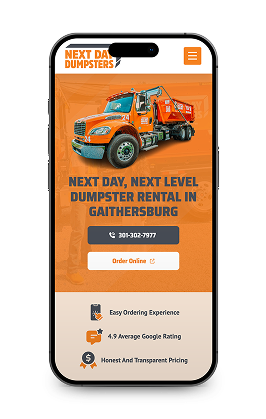

"Order Online" Button
Click the "Order Online" button on any Next Day Dumpsters location page.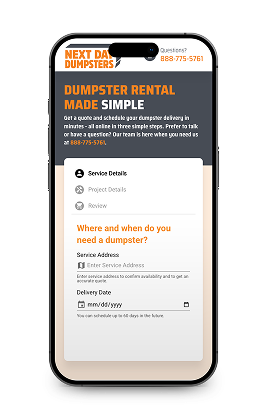

Embedded On-Page Scheduler
Use the embedded on-page scheduler directly on the site.Both options take you through the same quick, 3-step booking flow: Service Details, Project Details, and Review. Most customers are done in under 60 seconds.
After your order is placed, customers can continue managing their rental directly through the online portal.
How to Schedule a Delivery or Order Online in 3 Steps
Here's exactly what to expect when you use the portal to place an order.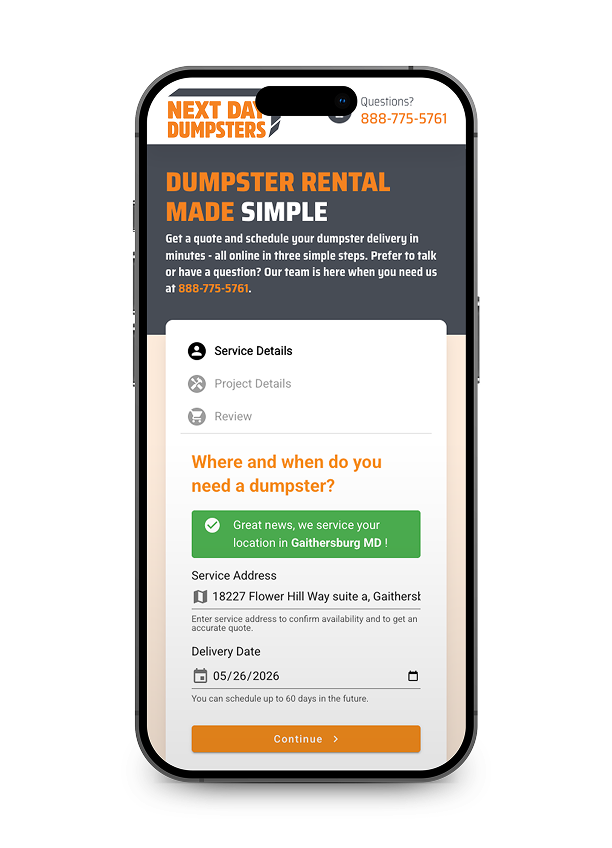

Step 1: Enter Your Service Address & Delivery Date
The first step asks where and when you need the dumpster. Enter your service address, and the system will instantly confirm whether Next Day Dumpsters services your area — you'll see a green confirmation banner if you're good to go.
Then select your preferred delivery date. You can schedule up to 60 days in advance, so there's plenty of flexibility whether you're planning a weekend cleanout or a longer renovation project.
Once your address and date are set, click Continue to move on.
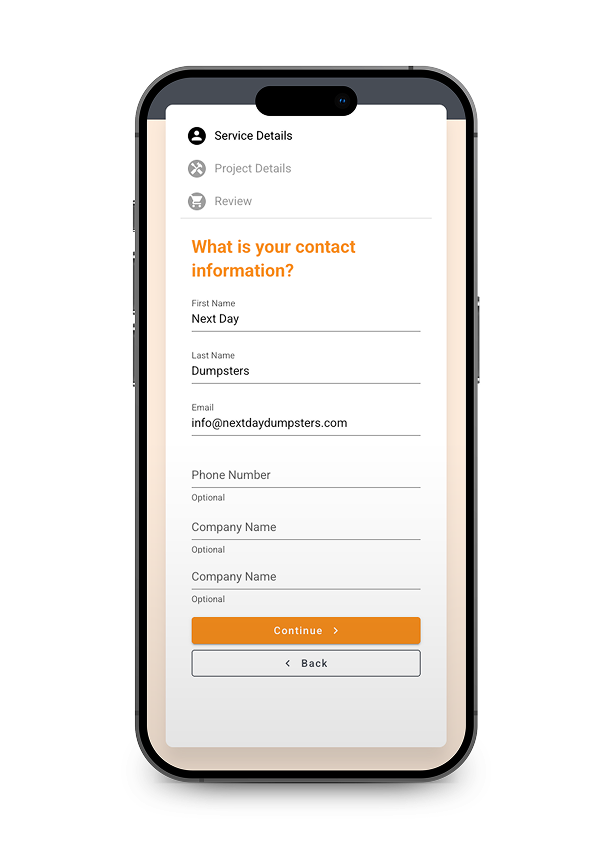
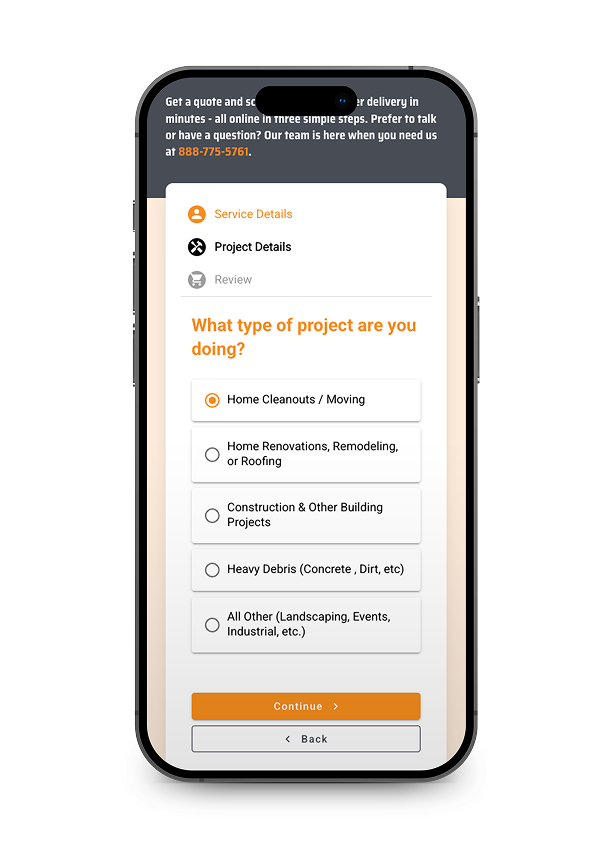

Step 2: Tell Us About Your Project
Next, you'll enter your contact information (first name, last name, and email are required; phone and company name are optional) and answer a few quick questions about your project type.
Project categories include:
- Home Cleanouts / Moving
- Home Renovations, Remodeling, or Roofing
- Construction & Other Building Projects
- Heavy Debris (Concrete, Dirt, etc.)
- All Other (Landscaping, Events, Industrial, etc.)
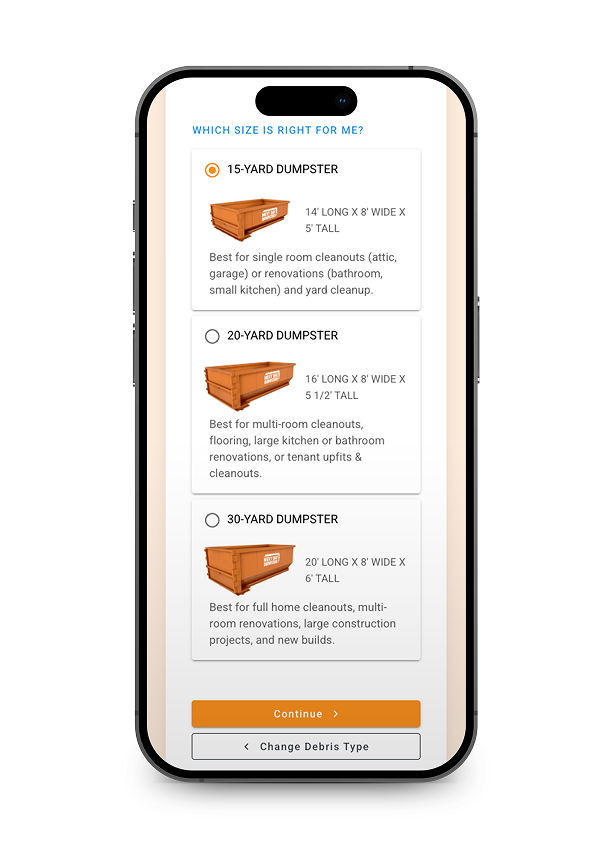
Based on your project type, you'll then be shown the right dumpster sizes for your needs.

Step 3: Choose Your Dumpster Size & Review Pricing
The portal shows available dumpster sizes with clear dimensions and use-case descriptions. Here's a quick overview of the standard options:
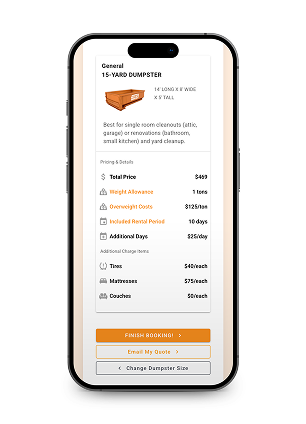
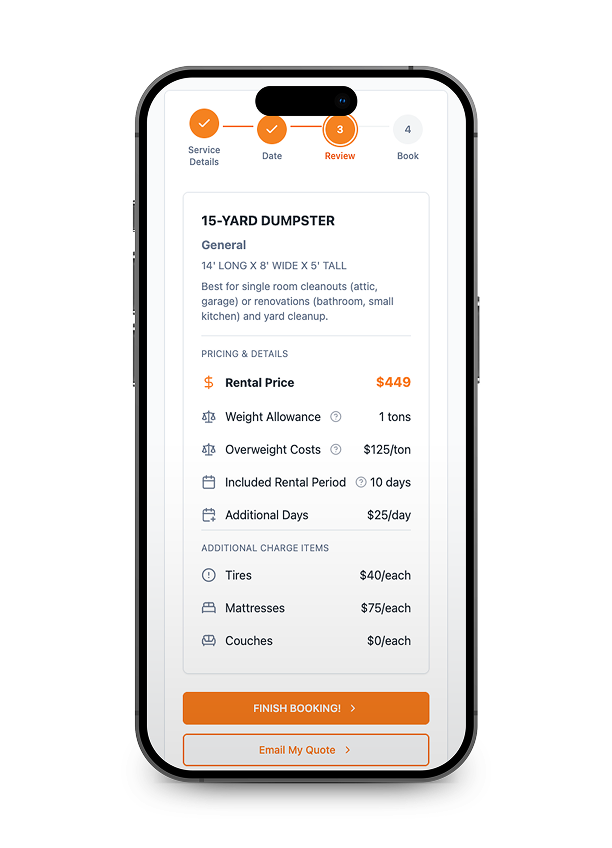
Once you select a size, the portal displays a full pricing breakdown before you commit, including:
- Total price (e.g., $379 for a 15-yard dumpster)
- Weight allowance and overage cost per ton
- Included rental period and daily rate for extensions
- Additional item fees (tires, mattresses, couches, etc.)
No surprises. Everything is shown upfront before you hit Finish Booking.
See How Easy It Is to
Order Your Dumpster Online
Watch our quick walkthrough and go from quote to confirmed delivery in minutes — no phone calls, no hassle.

Manage Your Rental Anytime
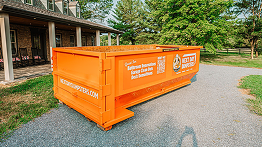
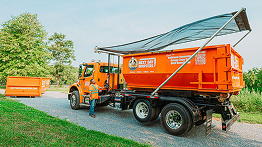
The experience doesn’t stop after booking. Customers can manage every stage of their dumpster rental online — without needing to call in.



How to Manage your rental online in 3 Steps
Once your order is placed, log into the online portal to view your active services, schedule new sites, and manage billing . No phone call needed.
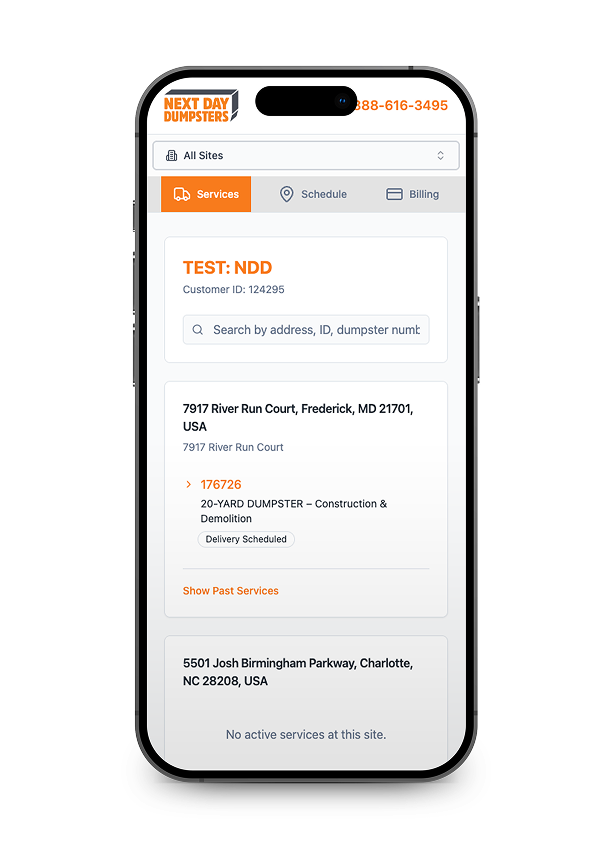
Step 1: View And Manage Your Active Containers
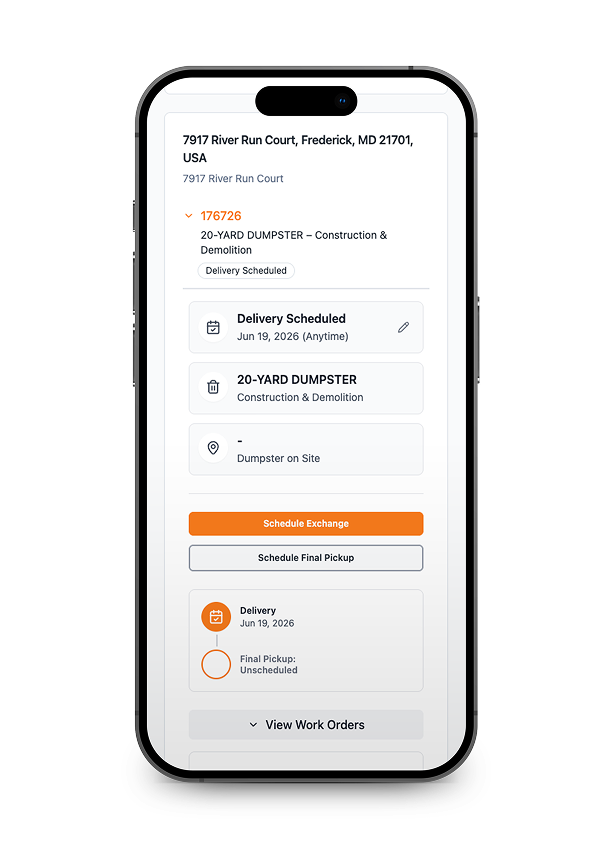
The My Services dashboard gives you a real-time snapshot of every dumpster on your account. See delivery dates, scheduled pickups, container sizes, and site addresses all in one place.
- View all active and upcoming container rentals
- Check delivery and scheduled pickup dates
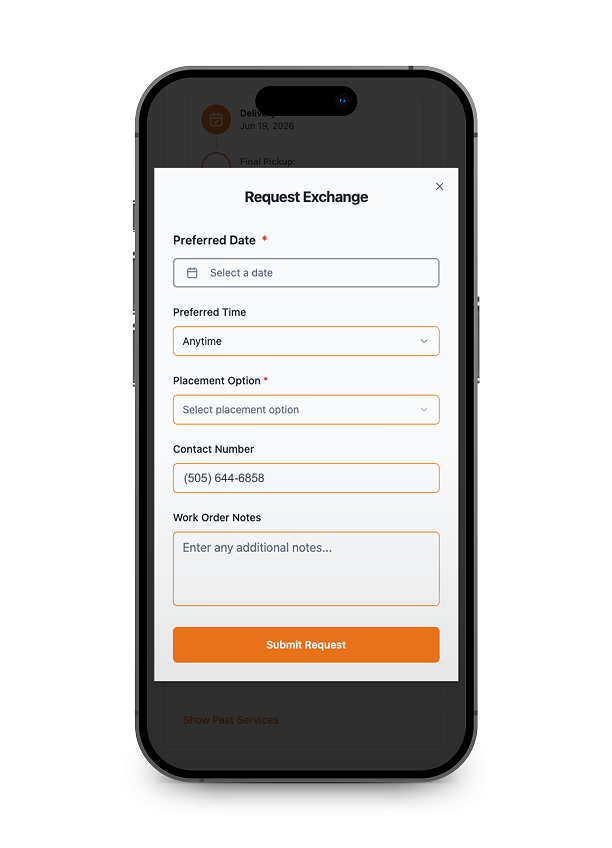
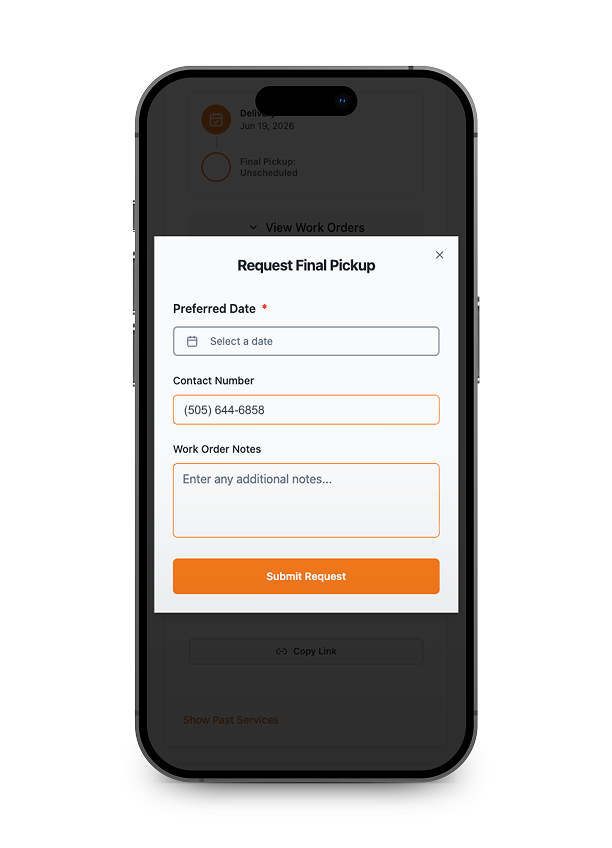
- Request an early pickup or extend your rental
- See container size and site address for each order
Rental extensions and early pickups update instantly. No call required.

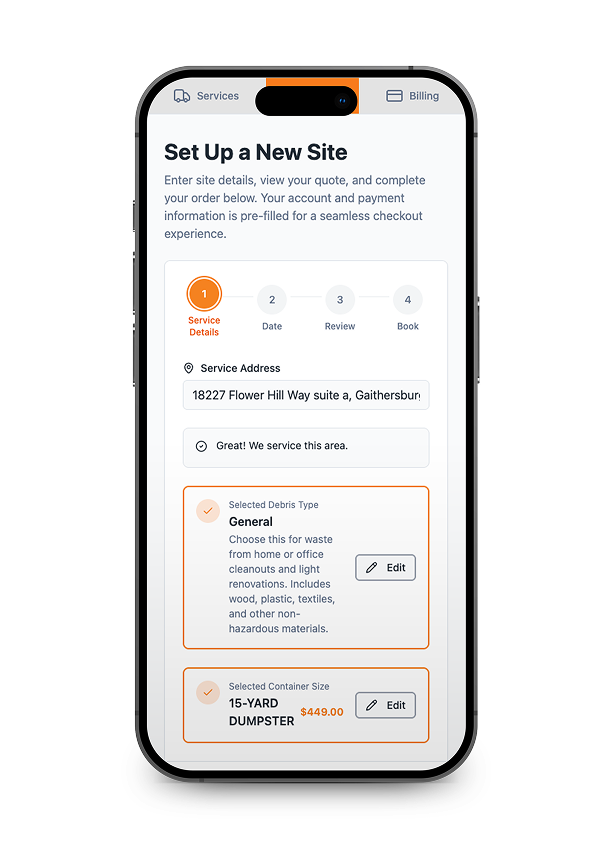
Step 2: Schedule A New Container For Another Site
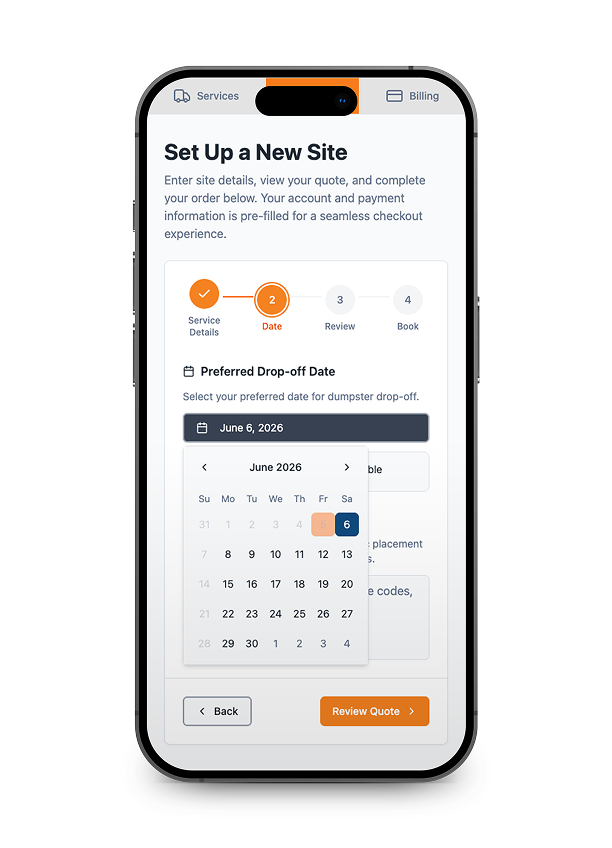
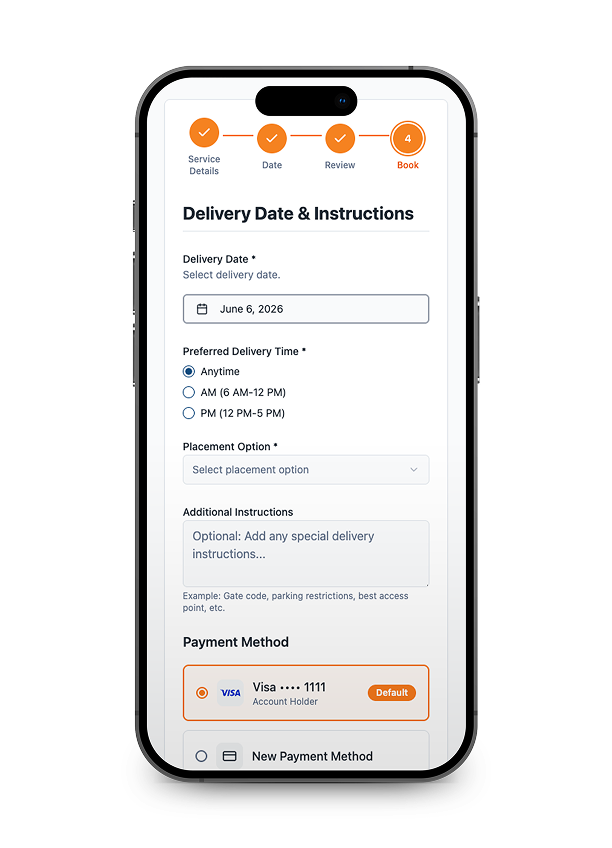
Need a dumpster at a second job site or a new address? Add it directly through the portal without starting a new order from scratch. Your account info and billing are pre-filled, so setup takes under two minutes.
- Enter a new delivery address and select container size
- Pick an available delivery date from the live calendar
- Review pricing before confirming — no surprises
- Order ties directly to your existing account for easy billing
Availability and pricing update in real time based on your area.

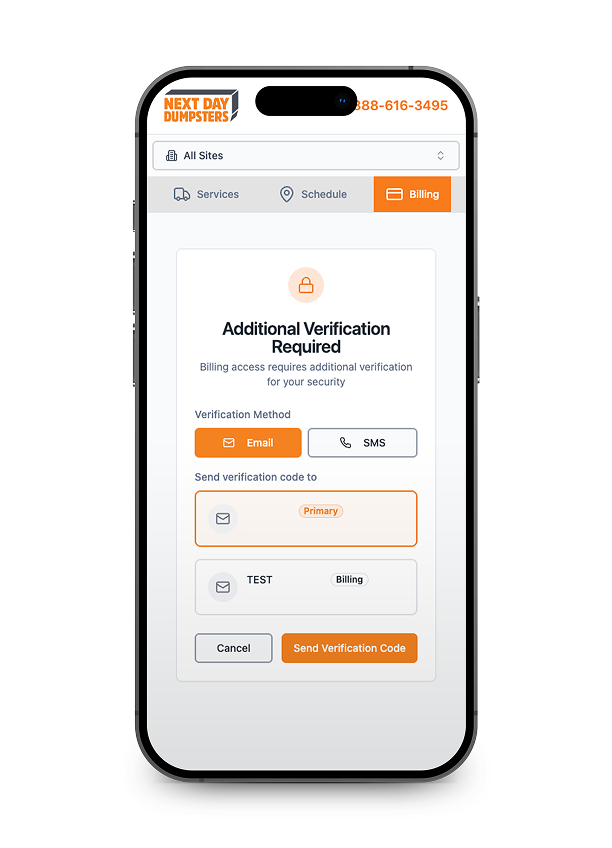
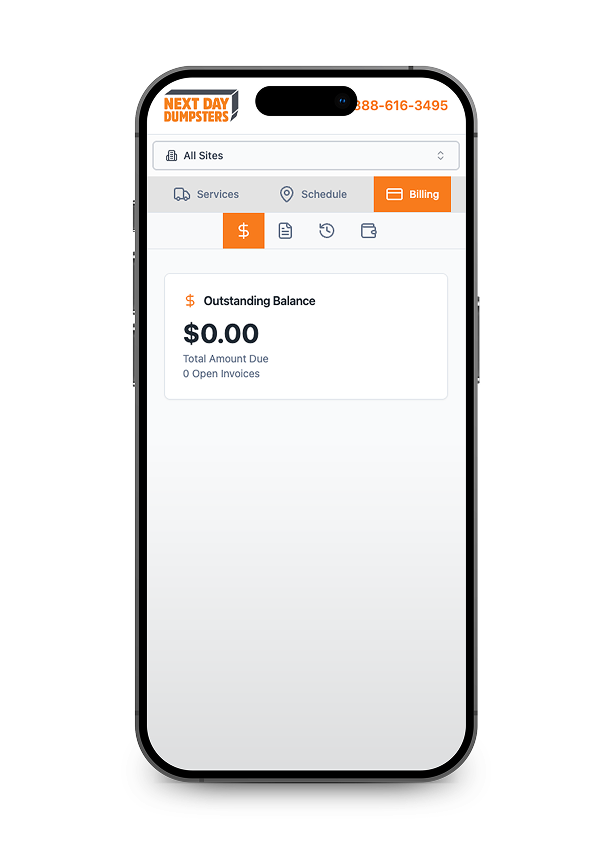
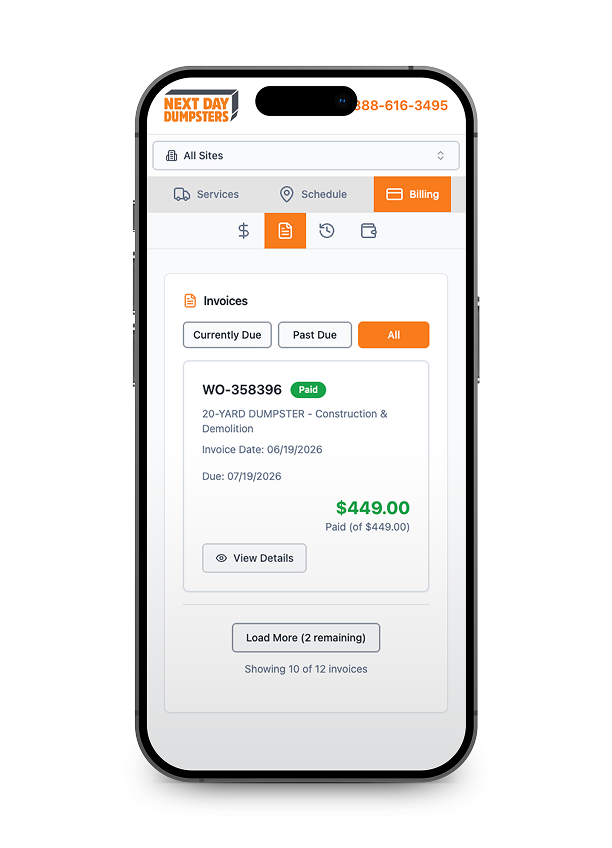
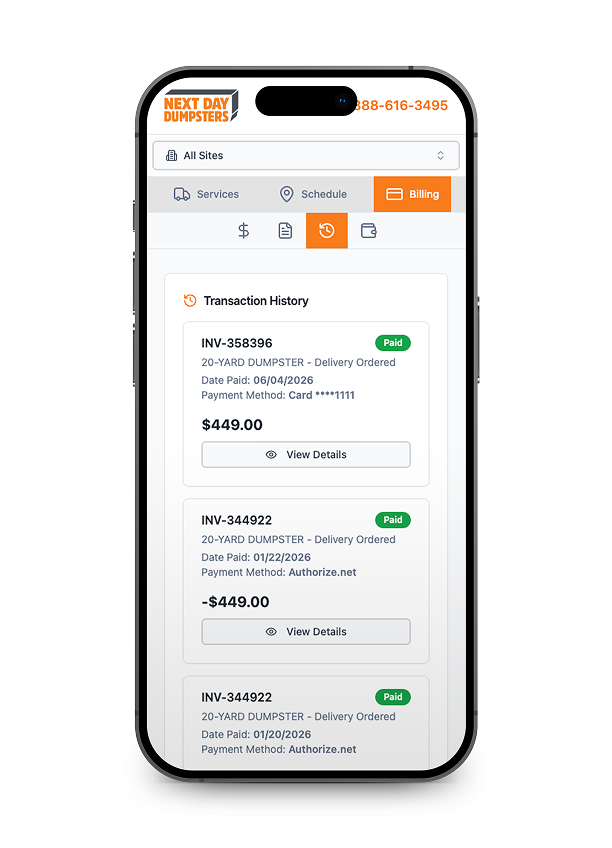
Step 3: Review Invoices And Manage Payments
The Billing section keeps a full record of every invoice tied to your account. View itemized charges, download receipts, and pay outstanding balances — all without contacting customer support.
- View paid and outstanding invoices by order
- See itemized charges including weight overages
- Download or print receipts for each rental
- Pay outstanding balances directly in the portal
Payment history is retained on your account for easy job-cost tracking.
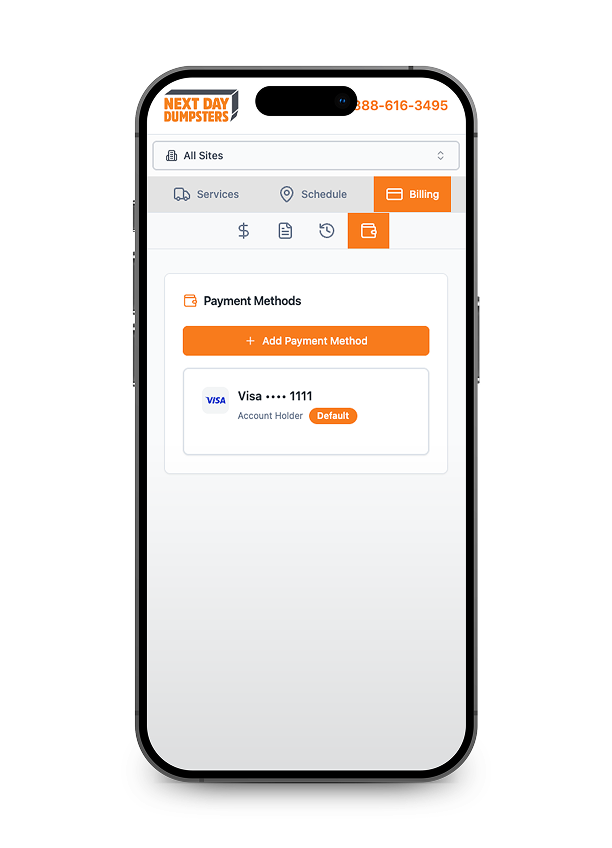
Managing Your Rental Has Never Been This Simple
See how to schedule pickups, swap containers, and handle billing — all from your phone or computer, anytime.

FAQs
Why Use The Online Portal?
STREAMLINE YOUR WASTE MANAGEMENT
Beyond the convenience of not having to call, the portal gives you real advantages throughout your rental:

24/7 Access
Need a dumpster at 10pm on a Sunday? The portal is always open. Place your order, check your status, or request a pick-up whenever it's convenient for you — no need to wait for business hours.
Digital Paper Trail
Every order, receipt, and invoice is stored in one place. For contractors and property managers juggling multiple jobs, this makes billing, reimbursement, and record-keeping significantly easier.

Mobile Optimized
The portal is fully optimized for mobile, so you can manage your rental right from the job site — no laptop required.

Transparent, Upfront Pricing
See everything — base price, weight limits, rental period, and any potential add-on fees — before you finalize your order. No guesswork, no surprises on your invoice.
Ready to Order?
Getting a dumpster shouldn't be complicated. With the Next Day Dumpsters online portal, it takes just a few minutes to get a quote and lock in your delivery.